Wi-Fi has improved a great deal, but it has not replaced a cable. A home with a couple of people working from home, a television streaming in the evening, security cameras recording around the clock and a games console in a bedroom is asking a lot of one wireless network. Wired network points give the devices that matter a connection that does not depend on where the router is or what the neighbours are doing.
Smart switches and dimmers are a related conversation, because both usually come up during a renovation. This guide covers what an electrician actually installs, what can be retrofitted into a finished house and what to think about before choosing a brand.
Why wired network points still matter
A cable does three things Wi-Fi cannot reliably do. It gives a predictable connection that does not drop when a microwave runs or a neighbour's network changes channel. It carries full speed to the far end of the house regardless of walls and floors. And it takes the heaviest users off the wireless network, leaving it for the phones and tablets that genuinely need it.
The devices that benefit most are the ones that stay in one place: a desktop or docked laptop in a home office, the television and streaming box, security cameras and their recorder, and a wireless access point in a part of the house the router cannot reach. Many cameras are powered over the same network cable that carries their video, so one cable run does both jobs.
Cable routes and patch panels
A data installation starts from a central point, usually where the internet connection enters the house or a cupboard near it, and one cable runs from there to each network point. The cables terminate on a patch panel, a row of sockets that lets you connect any wall point to the router or a switch with a short lead. It makes the installation tidy, labelled and easy to change later.
Cable routes are the part that needs an electrician's eye. Data cable has to be kept separated from mains cable, cannot share a conduit with power, and has bend and pull limits that decide whether a route through a ceiling or wall cavity will work. On a renovation the routes are planned while the walls are open; the renovation electrical checklist covers deciding those points early. In a finished house, the electrician looks at ceiling access, wall construction and whether there is a clear drop from the ceiling space to the point.
The neutral at the switch
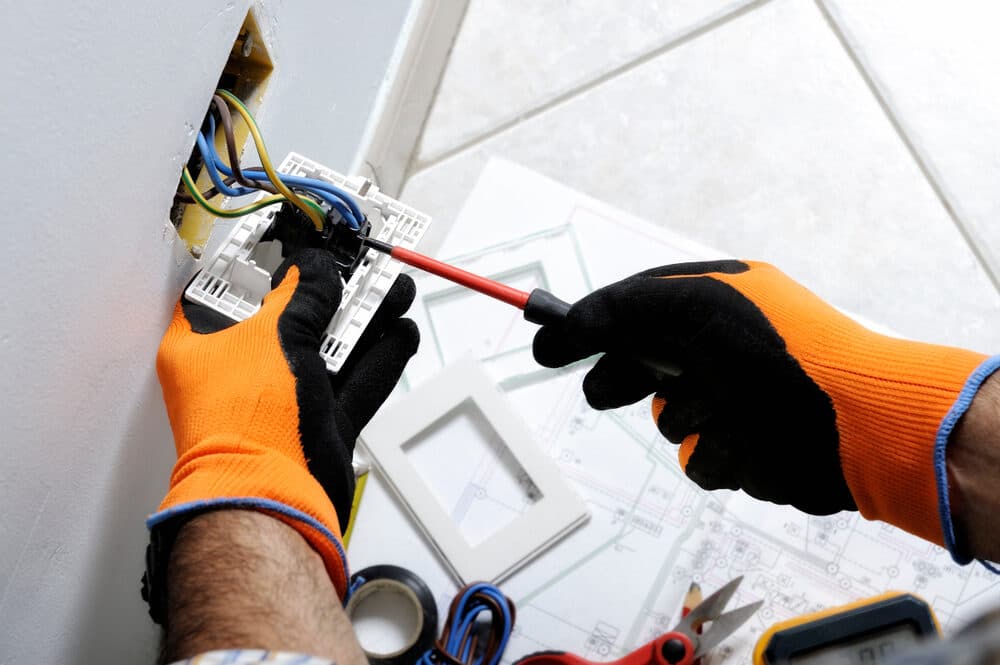
This is the detail that decides whether a smart switch can go in a particular position. Most Australian houses wired before the last few years have a light switch that interrupts the active conductor only; the neutral runs straight to the light fitting and does not visit the switch. A smart switch is a small computer that needs its own power all the time, so it needs both active and neutral at the switch position.
Where there is no neutral, the options are:
- Run a neutral to the switch. This is the right answer when the cable route is accessible.
- Use a smart switch designed to work without a neutral. These draw their standby power through the lamp, which limits which lamps they work with and can cause flicker or glow with LED fittings.
- Put the smart module at the light fitting instead, where the neutral is, and leave a conventional switch on the wall.
Whichever way it goes, this is fixed wiring work. Do-it-yourself electrical work is illegal in NSW, and a switch plate is not a safe thing to open to have a look.
What can be retrofitted without opening walls
Quite a lot, in most houses:
- A network point where there is ceiling access above and a clear cavity down to the wall position.
- A smart switch or dimmer where a neutral is already present or can be reached through the ceiling.
- A smart module inside the ceiling at a light fitting, controlled by the existing wall switch.
- Extra points next to an existing powerpoint or switch, using the same cavity.
Two-storey homes are harder on the ground floor, because the ceiling space belongs to the floor above, and slab floors, brick internal walls and steel framing each take options away. None of that rules a job out; it changes the route, and sometimes means surface conduit in a cupboard or garage.
Smart switches versus smart bulbs
Smart bulbs are the quick option: screw one in, connect it to an app and you have colour and dimming with no wiring. Their weakness is the wall switch. If someone turns the switch off, the bulb loses power and disappears from the app until the switch is turned back on.
Smart switches leave the bulbs alone and make the switch itself controllable. They still behave like a switch for guests and children, and they survive a change of app or platform because the wall still works. For most people, switches and dimmers at the wall are the better foundation, with smart bulbs kept for the odd lamp where colour is the point.
Dimming and compatibility with existing fittings
Dimming is where smart products most often disappoint. LED downlights and their drivers each support a particular dimming method, and a dimmer that uses a different method will flicker, buzz, refuse to go fully dark or fail early.
The electrician confirms which fittings are on each switch, what dimming method they support and whether the smart dimmer being considered is compatible. Sometimes the fix is a different dimmer; sometimes a different driver in the fitting. Our lighting page describes the fitting and dimming work.
Avoiding vendor lock-in
The choice of brand and app is yours, and it is worth choosing with the long view:
- Prefer products that keep working as ordinary switches if the app, the hub or the company disappears.
- Prefer open standards where products from different brands can talk to each other, over a single-brand ecosystem.
- Keep the wiring conventional. A neutral at every switch and a data point in every room are useful regardless of which brand sits in the wall.
- Avoid systems that need a proprietary controller in the switchboard unless you are certain about the brand.
The electrician installs the switches, dimmers, cabling and the circuits and neutrals they need. The app, the hub and the automations are your side of the line.
What the electrician checks before quoting
A quoting visit for data or smart switching usually covers:
- Ceiling and wall access, and the construction of the walls the points will go in.
- Whether a neutral is present at each switch position, and if not, how one can be run.
- The fittings and lamps on each dimmed circuit and their dimming method.
- The switchboard, to confirm safety switch protection on the circuits being altered and whether a new circuit is needed.
- Where the central data point will sit and whether it has power and ventilation.
- Any powerpoints needed near the router, television or camera recorder.
With that understood, the work is quoted in writing.
Calling AB Electrical
If a switch, dimmer or fitting is hot, discoloured or smells of burning, leave it alone and call 0405 343 343 from a safe place; for smoke or fire, leave and call 000. For planned data cabling or smart switching, send an enquiry with the suburb, the number of network points you have in mind, the type of house, and which switches you would like to make smart.